
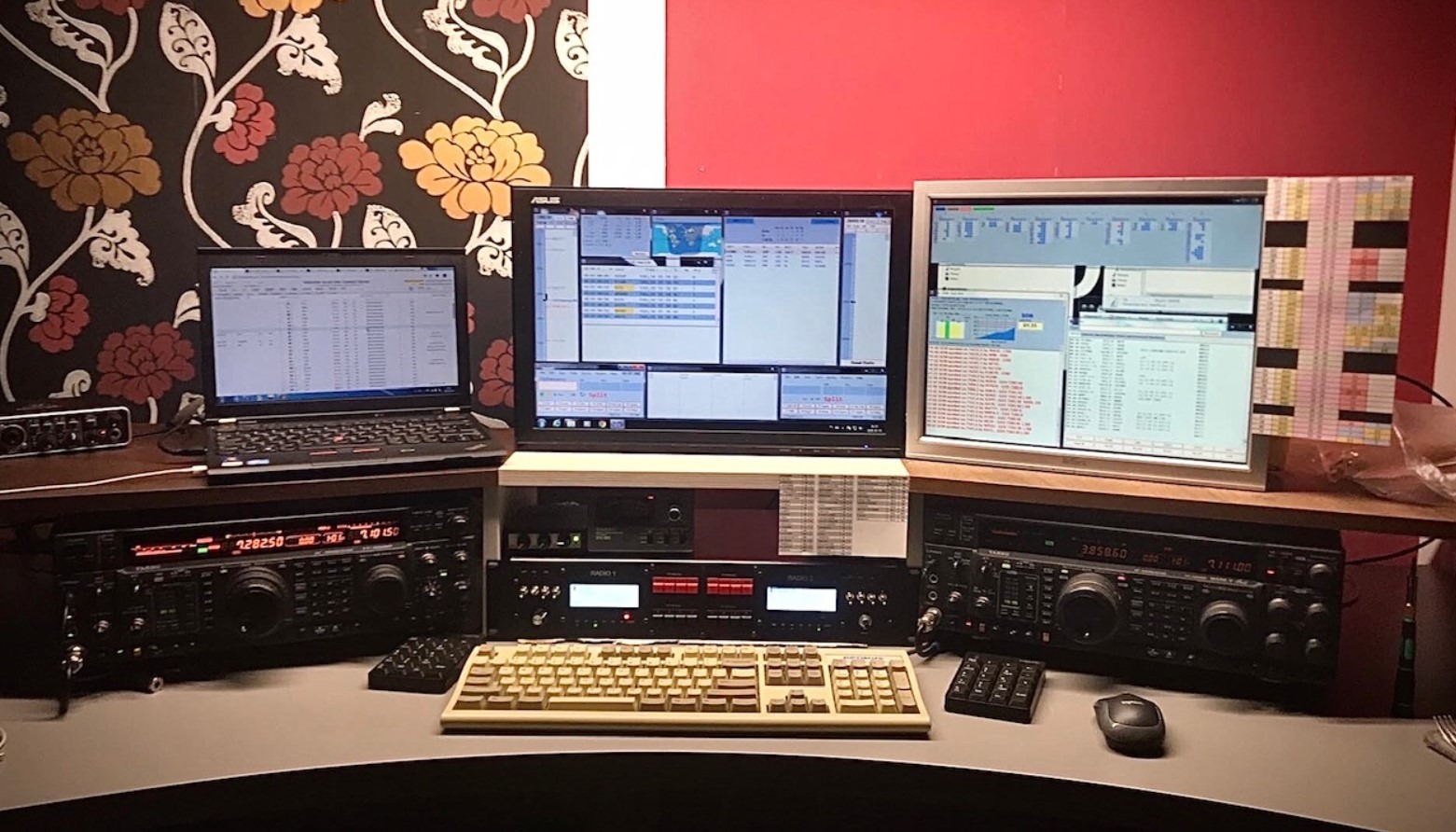
Introduction to so2r and GhostBox
V rádioamatérskom contestingu je so2r (Single Operator Two Radios) technique where one operator uses two receivers/transmitters simultaneously, aby mohol počúvať signály na dvoch rôznych pásmach bez potreby prelaďovania jediného prijímača. Cieľom je zvýšiť počet spojení za jednotku času a tým aj výsledné skóre. so2r je dnes štandardnou metódou pre aktívnych contestových operátorov.
GhostBox SO2R Controller is software solution from YO3HEX, which brings SO2R functionality without the need for a special hardware box (so2r boxu). Ide o aplikáciu, ktorá beží na počítači a spravuje audio a ovládacie signály z dvoch rádií cez USB audio rozhranie a logging softvér.
Why use GhostBox
Traditional SO2R boxes are hardware devices used for switching audio channels, PTT (Push-To-Talk), CW kľúče a riadenie vysielačov podľa vstupov z logovacieho softvéru alebo operátora. GhostBox sa zameriava na SW sound processing and control, thus reducing the number of external cables and hardware components.
The main advantages of GhostBox include:
-
Without the need for a physical SO2R box – everything is controlled by a computer program.
-
Dual-radio audio management – processing audio inputs from both radios.
-
Integrácia s contest logging softvérom using OTRSP (Open Two Radio Switching Protocol).
-
Advanced DSP (Digital Signal Processing) – for better audio, noise reduction, and other sound effects.
-
Audio recording – GhostBox can record audio output.
GhostBox thus functions as a 'virtual SO2R box' and, with proper configuration, provides equal or greater functionality than many expensive hardware solutions.
System requirements and preparation
GhostBox is designed for Windows 10/11 (64-bit). For stable operation, it recommends at least OS Windows 10, dual-core CPU, 4 GB RAM, and several hundred megabytes of free disk space.. For more demanding DSP effects and recording, it is more convenient to have quad-core CPU and 8 GB RAM or more.

Hardware connection:
-
Connect two transceivers to the PC using USB audio interfaces (also directly via the radio's USB interface).
-
Connect headphones and microphone (microphone is not needed for CW operation, only for SSB).
The GhostBox fully utilizes digital audio via USB, thus eliminating the need for traditional external audio cards where possible. It is possible to use them in an emergency. More is explained in the manual https://rig2cast.com/utils/GhostBox/GHOSTBOX_USERMANUAL.pdf
Configuration of the GhostBox software

After the first launch of the GhostBox SO2R Controller program, the main interface will appear and you need to go through the configuration:
-
Audio inputs (RX) – select the interface for each radio input.
-
Audio output (TX) – if you want to process TX audio through the GhostBox, here you set the outputs and microphone.
-
OTRSP settings – aktivuj OTRSP pre bezproblémovú komunikáciu s logging softvérom ako DXLog alebo N1MM+.
-
Recording – configure the folder, bitrate, and file rotation.
The configuration process includes sensitive settings of buffers, sample rate, and latency to minimize delay and loss of audio signal quality.
Daily operation

Po správnej konfigurácii sa GhostBox používa počas contestovej prevádzky nasledovne:
-
Start both radios and GhostBox.
-
Check if the application detects audio from all devices.
-
Use the controls on the GUI to switch the RX and TX audio between the two radios.
-
Integrácia s logging softvérom umožňuje automatické prepínanie podľa spojenie a logovacích udalostí.
GhostBox can also record audio from activated radios into MP3 files with specific timestamps, which can be valuable for reviewing connections or audio.
Advanced DSP features
One of the most notable features of GhostBox is its DSP section, which offers:
-
Binaural processing – simulation of spatial sound for better orientation in two audio channels.
-
Noise Reduction (NR) – noise reduction on both receivers.
-
IA Delay / Interaural Delay – fine delay between audio channels to reduce fatigue during long listening.
-
Audio focus and enhancement for CW – enhancement of CW signal perception in strong QRM or areas with multiple signals.
Tieto DSP Tools sú veľmi cenné pri dlhých contestových sedeniach a často poskytujú vyššiu kvalitu audio monitorovania než štandardné hardvérové boxy.
Integrácia s logging softvérom – OTRSP
GhostBox uses OTRSP (Open Two Radio Switching Protocol), čo je protokol, ktorý umožňuje sofistikovanú komunikáciu medzi logovacími programami a audio/so2r softvérom. Vďaka tomu môže GhostBox automaticky prepínať RX/TX režimy podľa aktuálnych aktivít v logu, čo výrazne zefektívňuje contestovú prevádzku a eliminuje manuálne prepínanie.
Problems and troubleshooting
The GhostBox manual also offers an extended troubleshooting section:
-
No audio from the radio → check volume and OUTPUT toggle.
-
Audio dropouts → increase buffer and WASAPI latency.
-
Missing audio output after changing USB ports → stop and reconfigure audio devices.
-
High CPU usage → turn off unused DSP features.
Conclusion
GhostBox so2r Controller represents an innovative software approach to SO2R operation, ktorý v mnohých ohľadoch prekonáva tradičné hardvérové riešenia. Vďaka integrácii s modernými contest loggermi, pokročilému spracovaniu audio, flexibilnej konfigurácii a DSP funkciám je ideálny pre rádioamatérov, ktorí chcú zjednodušiť svoje pracovisko a zároveň zvýšiť efektivitu v contestoch.
Ak často pracuješ s dvoma rádiami a loguješ spojenia, GhostBox môže byť kľúčovým prvkom tvojej so2r stratégie — nielen pre contesty, ale aj pre každodennú rádio prevádzku.