
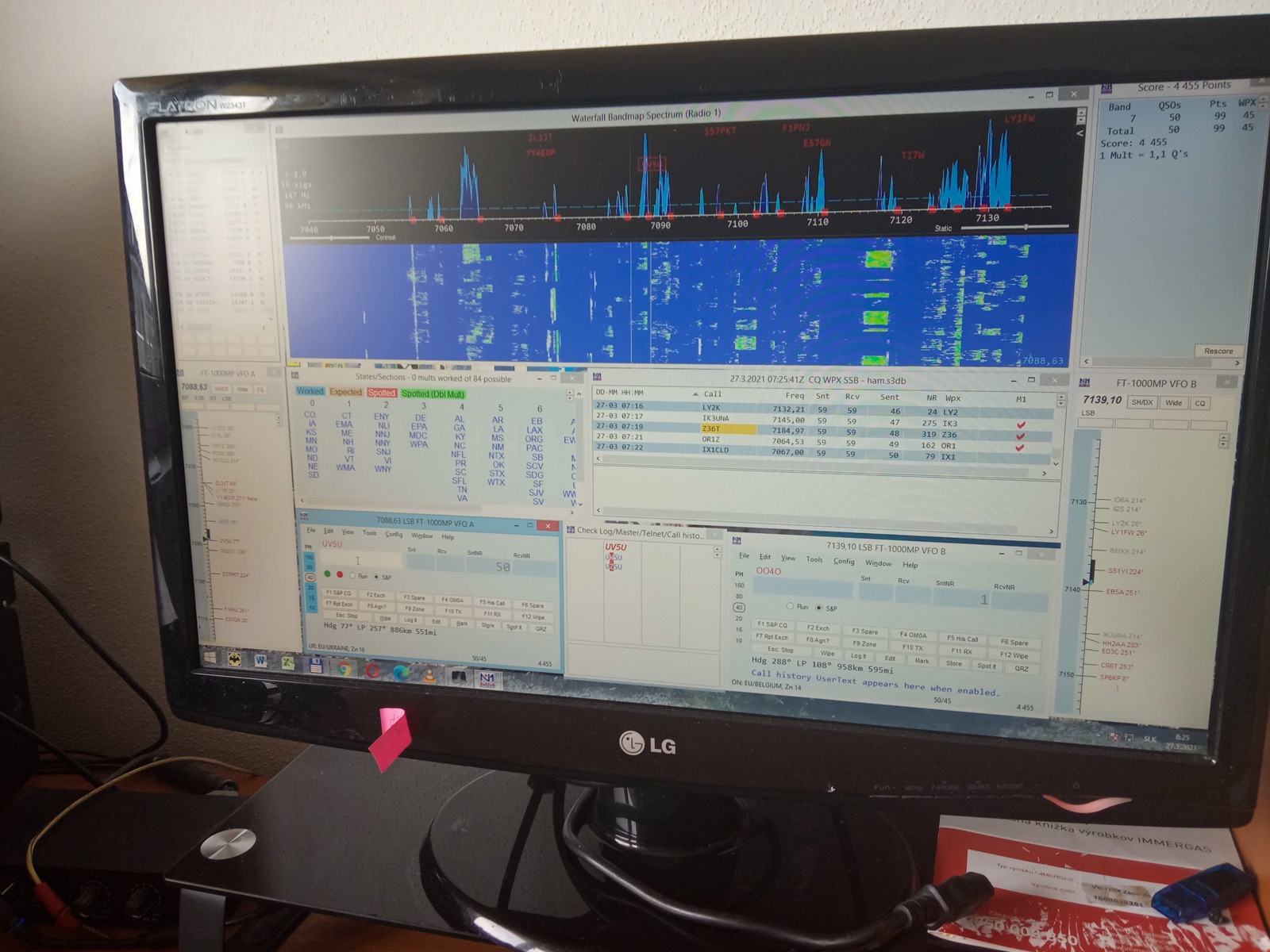
Funkcia Call History Lookup v N1MM+ is among the tools that can significantly reduce errors and effort in contesting with a simple but repetitive exchange - a typical example is the Slovak-Czech races SSB Liga, kde sa vymieňaný kód skladá z reportu a v okresu. Práve v tejto oblasti je priestor na chyby, keďže operátor must correctly recognize and write the district abbreviation live, often in interference or weak signal from the opposing station.
In the article you will read
TIP: database of callsigns with districts
A practical solution is to use database of callsigns directly in the computer log. Viliam, OM0AAO (OM0A), uses a manually created database of OK and OM stations in N1MM+ - after entering the callsign, the station's name is displayed in the Entry window and usually the district abbreviation, which is automatically written into the corresponding exchange field. This function not only saves time but primarily reduces the risk of typos or incorrectly captured districts during fast operation, when several dozen connections can be added in an hour.

The database of callsigns with districts in Call History is not just convenience - it is a direct prevention of errors in exchanges that are difficult to correct during log checks and mean a loss of points.
Structure of Call History file
The Call History text file is a simple text file that can be created in any text editor (Notepad is sufficient). The file is separated by commas or semicolons, with the position of each value in the line corresponding to a specific field. The default order of the fields is as follows: Call, Name, Loc1, Loc2, Sect, State, CK, BirthDate, Exch1, Misc, Power, CqZone, ITUZone, UserText, LastUpdateNote. This order is fixed – if the default order is used, a comma must be present after each field in every record, even if the field isempty.
Príklad jednoduchého záznamu podľa dokumentácie N1MM+: N9RV,,,,06,,-1,1900-01-01,,,,Log update edit fields – in this case, several fields are empty until we reach the value '06', which is the ITU zone number located in the Sect field, because the specific contest draws the zone from this field.
Since counting commas in a manually written file is prone to errors, N1MM+ offers a simpler solution – a directive !!Order!!, which allows you to specify your own order of fields in the given file. For example, the line !!Order!!, Call, Name, CK, Sect followed by data in this order ensures that the program places values into the correct database fields during import without the need to fill empty commas for unused columns. Other supported import directives include, for example !!MapStateToSect!! (filling the empty Sect field from the State field), !!FourCharGridSq!! (shortening a 6-character locator to a 4-character one) or !!ValidateArrlSection!! (removing values that do not correspond to a valid ARRL sekcii).
| Field | Maximum length |
|---|---|
| Call | 15 |
| Name | 20 |
| Loc1 / Loc2 | 6 |
| Sect | 8 |
| State | 8 |
| CK | number |
| Exch1 | 12 |
| Misc | 15 |
| Power | 8 |
| UserText | 60 |
Manually created Call History with Slovak and Czech callsigns
For contests such as SSB Liga, kde je hlavnou premennou práve okres protistanice, je praktické, aby pole s okresom zodpovedalo poľu, ktoré daný typ preteku v N1MM+ skutočne používa pre výmenu (najčastejšie Sect alebo Exch1). Presné pole je možné zistiť tak, že sa v danom type preteku vytvorí testovací denník, zaloguje sa niekoľko fiktívnych spojení s požadovanou výmenou, následne sa cez Tools → Clear Call History → Update with Current Log a File → Export → Export Call History vyexportuje dátový súbor, ktorý sa otvorí v textovom editore – takto je vidieť presne, do ktorého poľa program danú výmenu ukladá.
Custom database of OK and OM stations je možné budovať postupne – buď ručným dopĺňaním známych značiek, alebo automaticky, importom vlastného starého denníka cez Tools → Update Call History with Current Log, čím sa databáza doplní o všetky značky a ich naposledy zaznamenané údaje z predchádzajúcich pretekov. Takto vytvorenú databázu je potom potrebné exportovať (File → Export → Export Call History) pod vlastným, ľahko identifikovateľným názvom súboru, aby sa dala opätovne importovať aj v budúcich sezónach.
Setting up Call History usage in the contest

For Call History Lookup to work, you first need to enable the function in the Config menu of the Entry window by selecting Enable Call History Lookup. Then, the data file is loaded via File → Import → Import Call History – during import, all original data in the Call History table in the Admin database will be deleted and replaced with the imported data. If you need to combine multiple files at once (for example, several older logs), you can hold down the Ctrl key while selecting files to highlight multiple text files at once.
Searching the database is initiated by moving the cursor from the call sign field to the exchange field – that is, by pressing the space bar, or in ESM mode (Enter Sends Messages) by pressing the Enter key. If the call sign is found in the database, the assigned data will be displayed on the 'beam heading' line in the Entry window, and if the exchange fields are empty, the program will automatically pre-fill them with data from the database.

Pre trvalé prepojenie konkrétneho Call History súboru s konkrétnym pretekom je možné pridať názov súboru do záložky Associated Files v dialógu contest Setup - from now on, the assigned file will be automatically loaded each time the contest is opened. It is also advisable to add a shortened name of the contest as a comment in the text file (line starting with the # sign, for example # ssbliga) - thanks to this, the program will automatically enable or disable Call History Lookup when opening the log or importing data depending on whether it corresponds to the currently opened contest, thus preventing a situation where an incorrect (for example, last week's) table remains mistakenly loaded in the database.
Other Call History files
Okrem vlastnej ručne vytvorenej databázy ponúka oficiálna webová stránka N1MM Logger+ (n1mmwp.hamdocs.comIn the Downloads section → Call History Files, there is a vast collection of pre-prepared Call History text files for specific races – currently, there are hundreds of files (the Call History Files category records 479 items). After downloading, the files need to be placed in the CallHistoryFiles subfolder in the user's N1MM+ folder (the path to it is available via Help → Open Explorer on User Files Directory). In the case of multiple races, the program will also automatically offer to change the Call History file name in the race settings when clicking the Change button.downloading the latest version directly from the web, provided the computer is connected to the internet.
Summary
Call History Lookup in N1MM+ is a tool that during contests with simple but repetitive exchanges - such as SSB Liga or OM Activity Contest – can significantly reduce log errors by automatically pre-filling the district and displaying the name of the counterpart station. The key is to correctly understand the structure of the text file (default field order or custom order via the !!Order!! directive) and its connection to the correct exchange field for the given type of contest. The database may not contain all callsigns or changes (for example, a change of district), but I provide it so that you can utilize it.
Ahoj
OKOMCallhistory pre OK/OM contesty ako aj UDC súbory pre OK/OM contesty je možné stiahnuť na stránke http://www.radioklub.sk https://www.radioklub.sk/search/label/N1MM
73!