
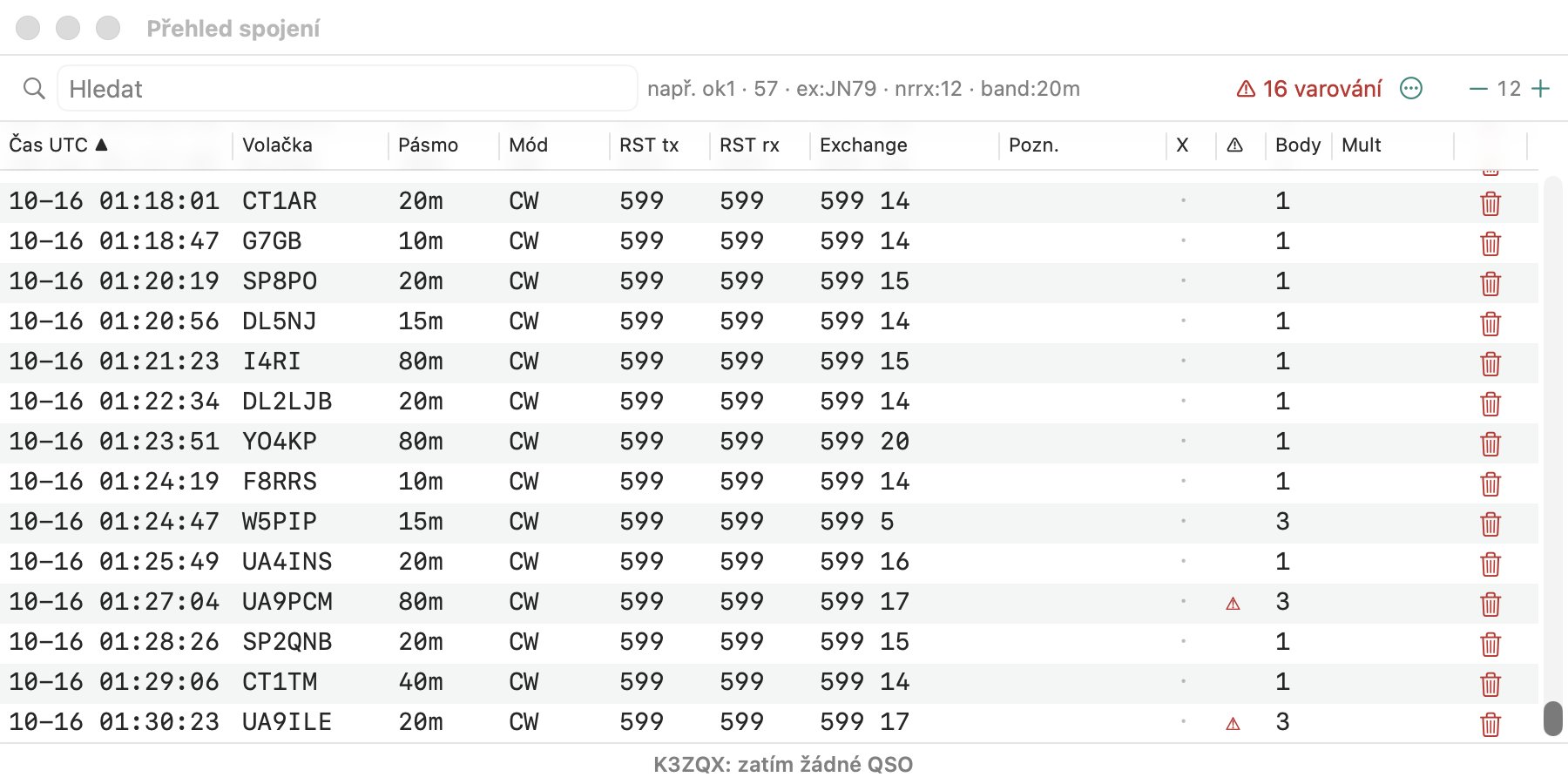
Those who compete on a Mac know the dilemma: the most widespread competition journals run on Windows, and on macOS a virtual machine or a second computer remains under the table. MacContestLogger offers a third way. It is a native contest journal for macOS in the spirit of N1MM+, authored by Tomáš Kaplan, OK1XOE.
The program is rewritten in Swift from the older version in Java 1.1.1 and shares the data format with it: race definitions in YAML, log in SQLite and config.json file. The user interface is in Czech and the license is GPL-3.0-or-later.
You will read in the article
Entry window, Run and S&P
The basis is an input window with a frequency band, band and mode buttons, connection fields and hints. You will find everything you are used to in N1MM+: Run and Search & Pounce modes, ESM (Enter Sends Message), messages on the F1 to F12 keys, duplicate check, SCP and N+1 suggestions, call history and text commands directly in the callsign field.

The program queries the HamQTH and QRZ.com online callbooks and works with the DX cluster and RBN including a bandmap and window with available multipliers. Compared to the original version in Java, microwave bands have been added from 23 cm to 3 cm. Attention, the original version in Java will no longer open a journal that contains a microwave connection.
Waterfall from the audio receiver
An interesting solution is the Waterfall window. It is similar to the spectrum in N1MM+ or DXLog, but without the SDR receiver: the program calculates the FFT directly from the transceiver audio in the range of 0 to 3 kHz. Above is a spectrum, below is a waterfall, in which the newest row is added to the top.

In the spectrum you can see the instantaneous levels, the falling curve and the threshold line above the noise level. The yellow line indicates the receiving frequency, the red transmitting frequency during split. Click into the spectrum to tune the radio, with Snap to signal snapping to the center of the nearest signal within ±2kHz. The second window can be linked to radio 2 during SO2R operation.
Map, statistics and score check
The map window shows a gray line recalculated every minute, processed lands with a blue dot and spotted, not yet processed, red. The cross indicates your station according to the locator from the settings.

The statistics work like a pivot table: you can choose rows and columns from the dimensions UTC hour, day, zone, mode, continent, country, operator or Run/S&P. In the case of an open race, points for connection, new multipliers and individual fields of received code will also be added. You copy the table to the clipboard, save it or print it. A separate tab shows the best rates for 10 and 60 minutes, breaks and runs.

For those who like to check their numbers, there's the mcl-scorecheck command-line tool. It loads logs in Cabrillo format, recalculates them with the program's competition engine and compares the result with the CLAIMED-SCORE value from the header.
Radio, antennas and network
MacContestLogger ovláda cez CAT dve rádiá vrátane splitu, RIT a prevádzky SO2V aj SO2R. Spojenie s transceiverom rieši rigctld z knižnice Hamlib. CW you can key in three ways: via CAT directly with the key built into the radio, via the K1EL Winkeyer, or via the DTR/RTS lines of the serial port. There is also a voice keyer, foot switch, nahrávanie spojení, vstavaný RTTY a modem taken from the RYRY project and a link to Fldigi, WSJT-X či N1MM cez UDP.
Rotátory sa ovládajú cez rotctld or the N1MM Rotor UDP protocol, so it also understands programs PstRotator and ARSVCOM. You can set up to 16 named rotators with calibration and limits. Multi-operator stations share the log via MQTT broker, ku ktorému sa stanice pripoja zadaním adresy, cez Bonjour v lokálnej sieti alebo cez Tailscale.
Installation, data and safe testing
The program requires macOS 14 or later. It does not use any external packages other than the macOS system libraries, but it does not bring country data and map outlines. It reads them from two public repositories that you clone into your home folder: ~/DXCC-json with dxcc.json and cty.dat files and ~/dxcc-world-map with dxcc.geojson file. Without the first, countries and zones will not be determined, without the second, the map will be drawn without borders.
Data is stored in the ~/Library/Application Support/MacContestLogger folder, which can be changed with the MCL_DATA_DIR variable. When testing, you will appreciate two switches: MCL_INERT_HARDWARE=1 will not open any radio or serial port and MCL_INERT_NETWORK=1 will silence the cluster, callbooks and MQTT. The documentation reminds that opening the serial port can lock the transmitter for a short time, so the first tests belong to the artificial load.
The application is built with the swift build command and the scripts/bundle.sh script, which creates an .app bundle and optionally a .dmg. The repository has no release yet, so the program must be compiled from source code. Also included are tools mcl-synthlog for generating synthetic logs and mcl-manual, which produces an English and Czech manual in PDF and HTML from the docs folder.
Practice without radio
The pileup simulator, similar to the Morse Runner program, deserves special mention. The CW from the F-keys goes to the simulator instead of the key, and you hear the calling stations from the speaker. After calling your prompt, they will answer, repeat the code to the question marks, and after logging in, the program will show you how many connections you made correctly. You can also enable signal leakage and a jamming station.
So if you compete on a Mac and are going to CQ WW DX contest CW 2026, worth a look project repository.
Frequently asked questions
What are the MacContestLogger system requirements?
You need macOS 14 or later. Swift toolchain 5.10 and later, ie Xcode or command line tools, to build from source code. Rigctld from the Hamlib library is suitable for CAT control.
Is the program in Slovak or English?
The user interface is in Czech. The manual exists in both English and Czech versions, and the program can download it in PDF or HTML.
Can the finished application be downloaded?
The repository doesn't have a published release yet, so you have to build the program with the swift build command and the scripts/bundle.sh script. This will create a .app package and optionally also a .dmg.
Why does the program not specify countries and zones for me?
The application does not collect data about countries. You need to clone the ~/dxcc-json repository and ~/dxcc-world-map for the map outlines into your home folder, then update both occasionally with the git pull command.
Can I run the program alongside the old version in Java?
Nope. Both versions use the same config.json file and the same log databases. In addition, the journal with a microwave connection will no longer open in the Java version.