
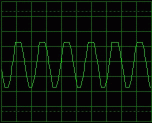
Already two years ago, I was interested in a small program promising to create a two-channel oscilloscope from a PC with a sound card. Since the oscilloscope is a very good helper in animating almost anything, I downloaded the program and still use it today. So what can it do?
You will read in the article
Oscilloscope from PC
The program "Oscilloscope for Windows95, version 2.51" was written by Konstantin Zeldovich and is freeware, which means it is freely redistributable. It replaces a two-channel oscilloscope with a spectrum analyzer and a correlometer. It can also work in XY mode for the purpose of plotting Lissajou figures - measuring the phase shift.

Frequency and voltage range
It covers the frequency band from 20Hz to 20kHz, the maximum input voltage is about 2V (according to the sound card). The image is redrawn approximately 6 times per second (depending on PC performance) and the measured data can be saved to a file.
PC requirements
System requirements are minimal - processor 486 and better, at least 8-bit sound card, W95. You will lose a little over 150 on the disc!!! kB. For decent work, I recommend making a simple connecting cable with measuring tips. On the other side, we connect a 3.5 inch stereo jack. Care must be taken not to introduce an extremely strong signal to the input of the sound card, which could damage it.
Measurement
After starting the program, the "front panel of the oscilloscope" will be displayed. Using the mouse or keyboard you can change the gain, base time constant, synchronization, synchronization method, delay...

When measuring non-sine signals, we may be interested in the content of higher harmonics. This is what the integrated spectrum analyzer is for. If we move the cursor to the oscilloscope screen, the frequency and level will be displayed in the bottom line.
Sometimes we are interested in the relationship between two signals - for example, when measuring the distortion of an amplifier. We feed the signal from the generator to one input of the oscillator, and to the other output from the amplifier. We will find out the fidelity of amplification with a correlometer.
In XY mode, it is possible to measure the phase shift using Lissajous patterns. There is a grid on the screen that will make it easier for us to read from the screen. It is necessary to pay attention to setting the same gain for both channels, or to recalculate.
Download
The program has very high-quality documentation (in English). You can download the program here: osc251.zip (88kB).