

- PSK31, QPSK31, FSK31: MMVari code table support (G3PLX table is extended with Japanese alphabet according to Makoto Mori, JH3HHT)
- Spectrogram: complete with dynamic range switch (80, 60, 40 or 20 dB for visible level on spectrogram or waterfall
-

MixW2 Decoder: supplemented with FFT selection to set sound card properties (rectangular, triangular, cosine, self-correcting and flat). Each setting is suitable for different signal decoding conditions
- RX window: the tooltip shows the distance and Azimut označeného WW lokátora
- PSK31: improved bandpass filter, more effective on nearby signals causing QRM
- RigExpert support: added input/output level dialog
- CAT: added to the list of supported devices by IC-703 and fixed Kenwood TS-50 startup error
- New macros: "MYWWLOC" and "WWLOC"
- Macro: "NAME" gives "my friend" instead of "OM" when there is a free field in the diary. This setting can be changed by the user
-
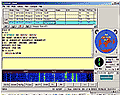
MixW2 TEOAN: RigExpert supports remote control via LAN. Due to this option, the sound card parameters dialog has been modified. MixW 2.12 thus offers a unique opportunity for owners of RigExpert and another computer with the TEOAN program to work with digimodes outside the hamshack. However, the audio track is not compressed, so the data transfer requirements are quite high (0.4 Mbit/s RX/TX or 0.8 Mbit/s in full-duplex mode)
- CW: "@" (AC) symbol added to character table
- Changed the effect of the ESC key: one press stops the macro transmission and clears the TX buffer, but the transmitter remains looped. Only the second press of the ESC key switches the device to receive. Users who do not like this setting can change it in the MixW2.ini file, where they change the "OldEsc" value from zero to the number one
- Speed up INI file loading: the slow internal INI file loading system has been replaced with an optimized one that executes faster
- Help adapted to HTML style: if you were more satisfied with the original help method, just delete (or rename) the MHH.dll file from the MixW2 directory
- The ends of the bands: are indicated by the STOP icon on the frequency scale
You can also download the latest version of MixW 2.12 at CQ.sk.