
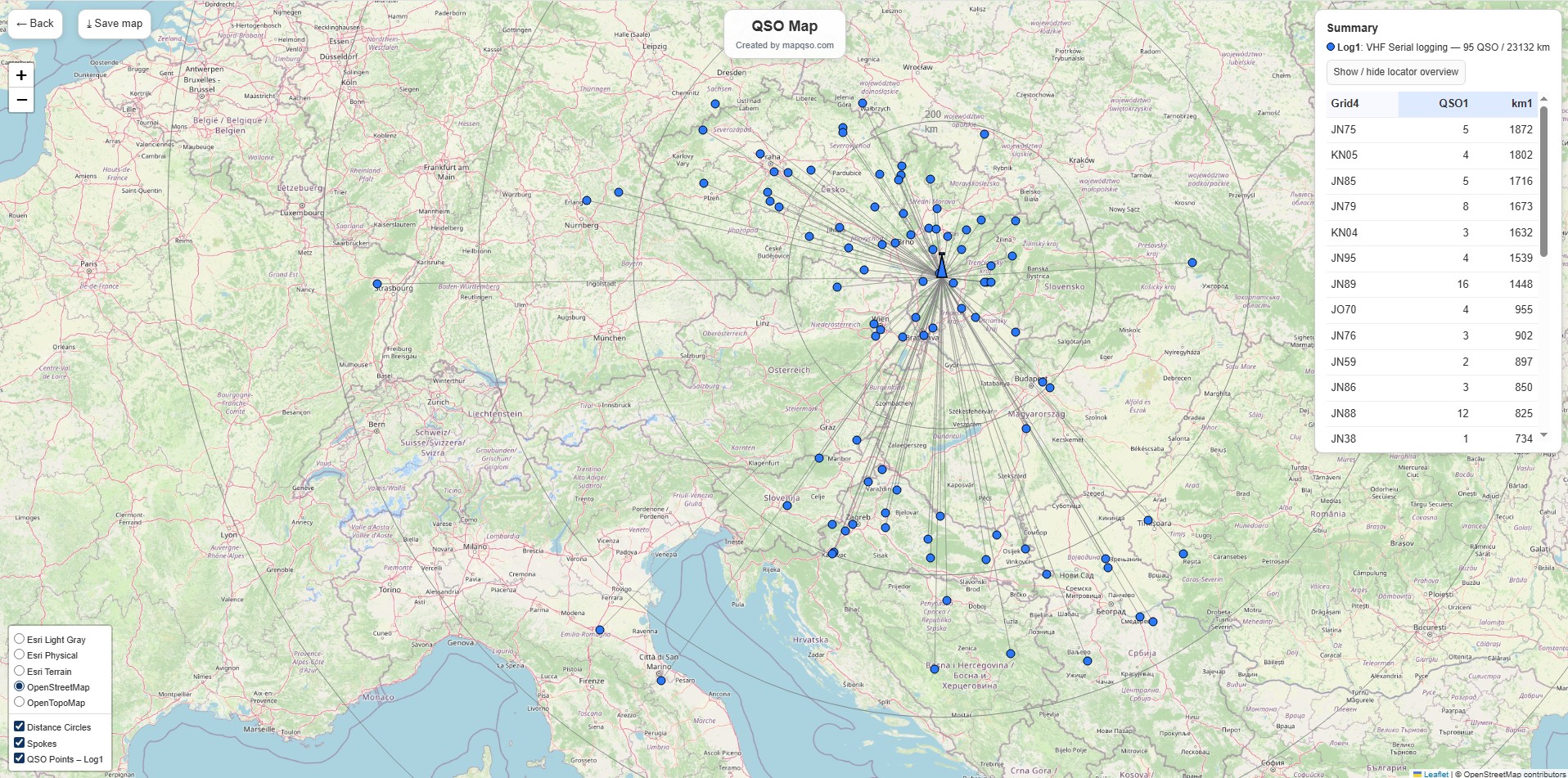
Pre radioamatérov, ktorí pracujú s QSO záznamami, predstavuje QSO Map od OK1NOR an exceptional tool - a simple yet effective way to visualize truly diverse connections in the form of an interactive map. The goal is to convert EDI logs into a clear map format and help users better understand the geographical distribution of their connections.
In the article you will read
Main features of QSO Map
- Podpora jednoho či dvoch logov - You can upload one or two EDI files and compare connections between them.
- Farebné schémy a štýly ikon – Užívateľ si vyberie farbu pre iné stanice a svoju vlastnú stanicu („My QTH"), size and type of icon (solid dot, with "stone", pin, cross with dot).
- Kruhy vzdialeností - Suitable for marking circles at selected distances (e.g. 10 km, 100 km, 500 km). You can choose the number of circles and their appearance.
- Interaktívnosť - By clicking on any QSO icon, connection details are displayed (e.g. call sign, grid, time, etc.).
- Vyhľadávanie prienikov - If there are the same connections in two logs (same call sign + grid), they can be displayed with a special color or icon.
- Ukladanie mapy - You define the name of the map, which will also be used as the default name when saving the resulting image.

Technical references and background
QSO Map expects valid 6-character Maidenhead locators in EDI logs (e.g. JO80AB). Duplicates (same call sign + grid) will be merged - the resulting map will remain clear.
The entire tool is designed to generate the map in just a few seconds even with extensive logs. It is the work of the author Jindru OK1NOR (Jindřich Košťál).

Who is it useful for
For radio amateurs who want:
- display the geographic distribution of their connections,
- compare the results of two different logs (e.g. different contests or periods),
- visualize intersections between logs,
- easily share or save connection maps.
QSO Map combines ease of use with strong visualization - an excellent tool for those looking for a practical way to process and display their QSO records.