
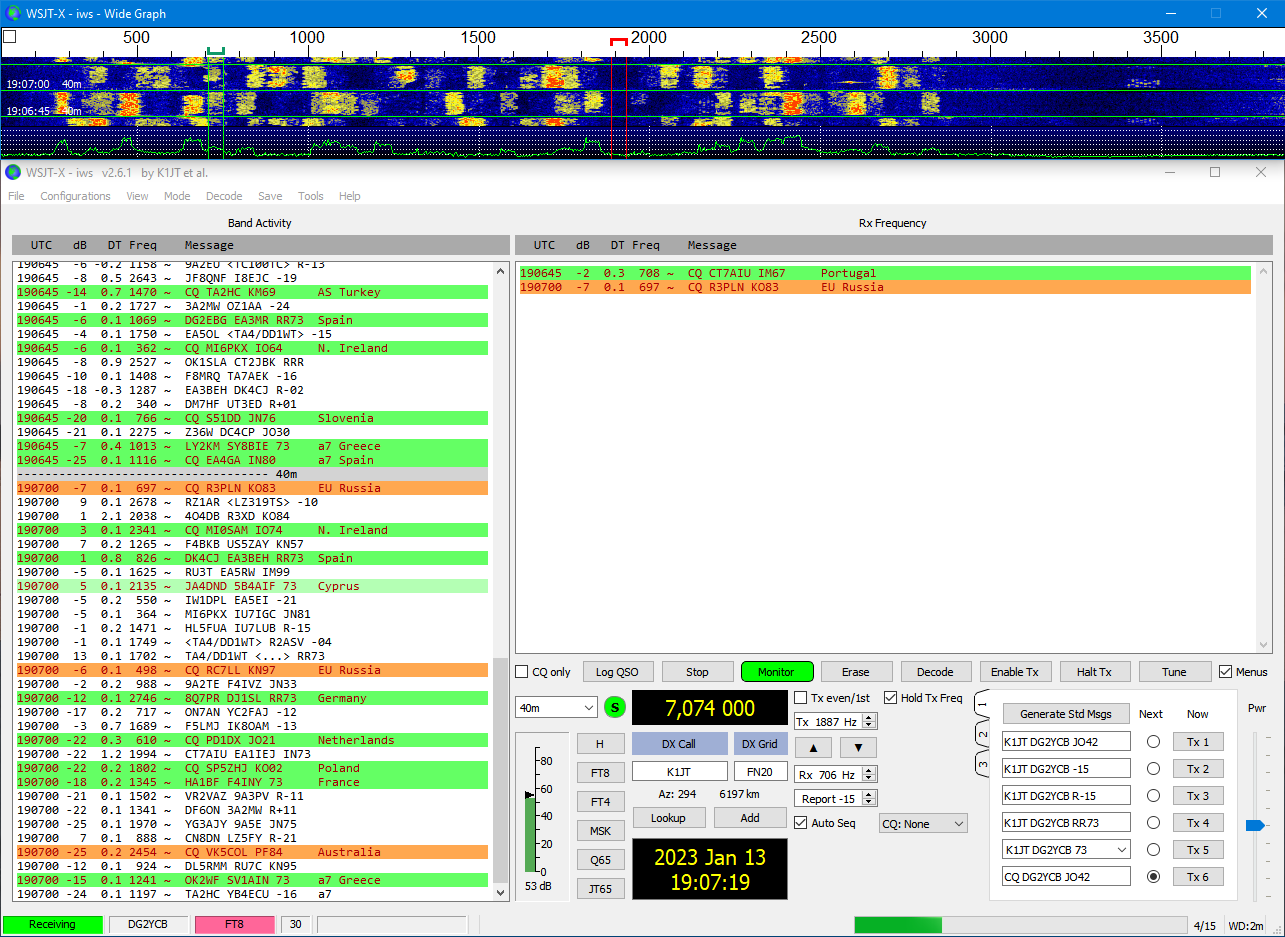
DIGIMODES ako FT8, FT4, Q65 či MSK144 dnes patria medzi najpoužívanejšie formy rádioamatérskej komunikácie. Ich popularita spočíva v schopnosti prenášať informácie aj pri veľmi slabých signáloch a v nástrojoch, ktoré rádioamatérom umožňujú rýchlo nadväzovať spojenia po celom svete. Jedným z kľúčových softvérov, ktoré tieto módy sprístupňujú, je WSJT-X – projekt vytvorený Joeom Taylorom K1JT, Stevom Franke K9AN, Billom Somervilleom G4WJS a ďalšími spolupracovníkmi.
Alongside the official version, an experimental modification called WSJT-X_IMPROVED has emerged, managed by Uwe Risse, DG2YCB. This software is based on the original WSJT-X but brings numerous improvements, new features, and more frequent updates, including faster bug fixes. In the following paragraphs, we will detail its features, benefits, and potential uses.
In the article you will read
Experimental version with open license
WSJT-X_IMPROVED je vydaný pod licenciou GNU GPL v3, which means it is free software with open source that you can download, explore, and modify. You can find download and installation packages on the project page at SourceForge. Users can participate in discussions and share experiences through the available email conference here.
Although the author states that he is not aware of negative effects, he warns that this is an experimental version – users should therefore use it at their own risk.
Main features and improvements of WSJT-X_IMPROVED
WSJT-X_IMPROVED brings several practical features that streamline operations, improve clarity, and add new options:
- Highlighting CQ and 73/RR73 messages
Important messages in your log will be visually distinguished, speeding up responses when establishing connections. -
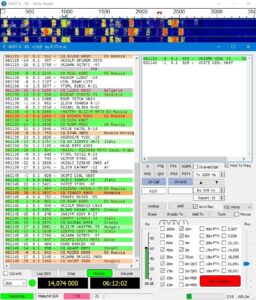
AL interface with Band Hopping feature enabled Three different graphical interfaces (GUI)
- Standard WSJT-X interface.
- Alternative layout ('AL') optimized for small screens and laptops.
- Wide version with an expanded 'Band Activity' window for better insight into band activities.
- Quick mode switching
Using buttons, frequently used modes can be easily changed without the need to invoke the menu. In ‘Hound’ mode, simply tune to the correct frequency of the DX station, press the ‘H’ button, and perform QSO. - Band Hopping for FT8, FT4, Q65, and MSK144
The new tab allows you to mark desired bands and modes and automatically switch between them every two minutes. This feature works excellently with the service PSKReporter na monitorovanie pokrytia. - Optimized decoders for DX operations
Improved algorithms increase the success rate of decoding weak or distant stations. - More frequent updates and new Hamlib files
Hamlib provides control of radios – more frequent updates mean better support for new devices. - Adjustments for greater comfort
- Removal of text from the ‘Control’ checkbox in the Wide Graph window to prevent accidental checking.
- Ability to call CQ with the name of a specific contest instead of the general ‘TEST’.
- Reduction of false decodes using the False Decodes Reduction (FDR) feature without loss of sensitivity.
- Diagnostic mode
Allows data collection for troubleshooting software or communication with the radio. -
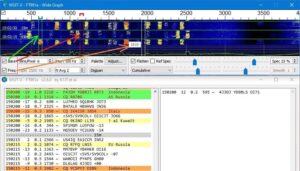
Optional column display for Tx and Rx audio frequencies on a wide spectrum (similar to JTDX) Control directly from the waterfall
- Right-clicking on the waterfall sets the Tx audio frequency.
- Double-clicking the Lookup button searches for the callsign on QRZ.com.
- PLUS version
Includes additional add-ons such as sound alerts or support Cloudlog-u.


More handy features
-
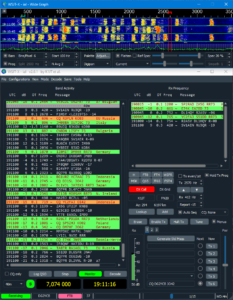
WSJT-X IMPROVED in dark mode Dark mode – can be activated directly in the main window, with a recommendation for pastel colors for highlighting.
- Wait and Reply / Wait and Call – intelligent features that help complete QSO without unnecessary constant broadcasting.
- Full Duplex Mode – ideal for satellite operations when you need to transmit and receive simultaneously.
- AutoSeq also for JT65 and JT9 - simplifying work in older modes.
- Hamlib update directly from the program (Windows).
- Measurement of PWR and SWR during transmission and automatic TX shutdown at SWR > 2.5.
- Quick band selection buttons - practical for frequent switching.
Who is WSJT-X_IMPROVED intended for
This extended version is interesting for radio amateurs who:
- want access to the latest features and fixes faster than in the official WSJT-X,
- appreciate a customizable user interface,
- operate more modes and bands and use automated switching,
- need specific features, such as reducing false decodes or Full Duplex operation.
For beginners, WSJT-X_IMPROVED may be appealing mainly due to better clarity and more intuitive controls. Experienced operators will appreciate advanced options and a wider range of settings.
Risks and recommendations
Since this is experimental software, the author recommends using it at your own risk. Before installation, it is advisable to back up settings and logs from the official WSJT-X, so you can easily revert if necessary.
The advantage is an active community on SourceForge, where you can find advice, troubleshooting solutions, and information about new releases.
Conclusion
WSJT-X_IMPROVED represents an interesting alternative to the official WSJT-X. It brings new features, practical improvements, and more frequent updates, making the operation of digital modes even more efficient and convenient. Whether you are a beginner looking for a clearer interface or an experienced DXer wanting the latest tools, WSJT-X_IMPROVED offers something for everyone.
| Function / Feature | WSJT-X (original) | WSJT-X_IMPROVED |
|---|---|---|
| Development and maintenance | Official development by the K1JT, K9AN, G4WJS team and others, stable updates | Extended version by DG2YCB, more frequent updates and faster bug fixes |
| User interface (GUI) | Standard layout | 3 variants: standard, AL (optimized for small displays), and widescreen with a larger Band Activity window |
| Message highlighting | Standard CQ highlighting | Additional CQ and 73/RR73 message highlighting |
| Mode switches | Only through the menu | Direct buttons for switching modes (including quick switch to Hound mode) |
| Band Hopping | No | Automatic switching of bands/modes (FT8, FT4, Q65, MSK144) according to selected frequencies |
| Decoder optimization | Standard sensitivity | FT8/FT4 decoder optimized for DX operation |
| False decodings | Possible occurrences | FDR function – significantly reduces false decodings without loss of sensitivity |
| Contest CQ | "CQ TEST" | Option to use a specific contest name (e.g. "CQ PACC") |
| Waterfall control | Setting frequency via menu | Direct right-click on the waterfall sets Tx frequency |
| Searching for callsigns | Through external menu | Double-clicking the Lookup button opens QRZ.com with the callsign from the DX Call field |
| Dark mode | No | Switchable dark mode directly from the main window |
| Auxiliary functions | Basic AutoSeq | "Wait and Reply" and "Wait and Call" – smarter connection finishing |
| Full Duplex mode | No | Yes (useful for satellite operations) |
| AutoSeq for JT65/JT9 | No | Yes |
| Hamlib update | Updates on new version | Option to update Hamlib directly from the program (Windows) |
| Measuring PWR and SWR | No | Displays power and SWR during TX, automatically stops TX at SWR > 2.5 |
| Additional extensions | — | PLUS version with additional features (audio alerts, Cloudlog support, etc.) |
| License | GNU GPL v3 | GNU GPL v3 (experimental version, use at your own risk) |
It's worth trying – and you might discover new possibilities in the world of digital amateur radio connections.