
Software Defined Radio (SDR) allows one receiver to examine signals that would otherwise require multiple specialized devices and decoding programs. The OnAir project follows this path: it combines the reception of television and radio broadcasts with the decoding of data transmissions, amateur radio digital modes and other signals that can be picked up by an SDR receiver. Project website on-air.dev uvádza 83 režimov v 14 skupinách: from digital television and radio to air and maritime services, satellites and pagers to amateur digital fashions. Aplikácia je len na príjem: nevysiela a nedešifruje.
Radio amateurs will be especially interested in the fact that FT8, WSPR, PSK31, CW, SSTV, FreeDV, D-Star or APRS are in one application together with television and radio. At the outset, however, it is necessary to say where the boundaries are: almost all modes are marked as experimental.
You will read in the article
From digital television to radio amateur modes
The range of supported signals is one of the most interesting features of OnAir. The program includes digital TV standards DVB-T and DVB-T2, radio broadcasting DAB/DAB+ and FM with RDS. Other implementations cover satellite and cable television, analog television, air and sea transmissions, satellite signals, telemetry or various data networks.
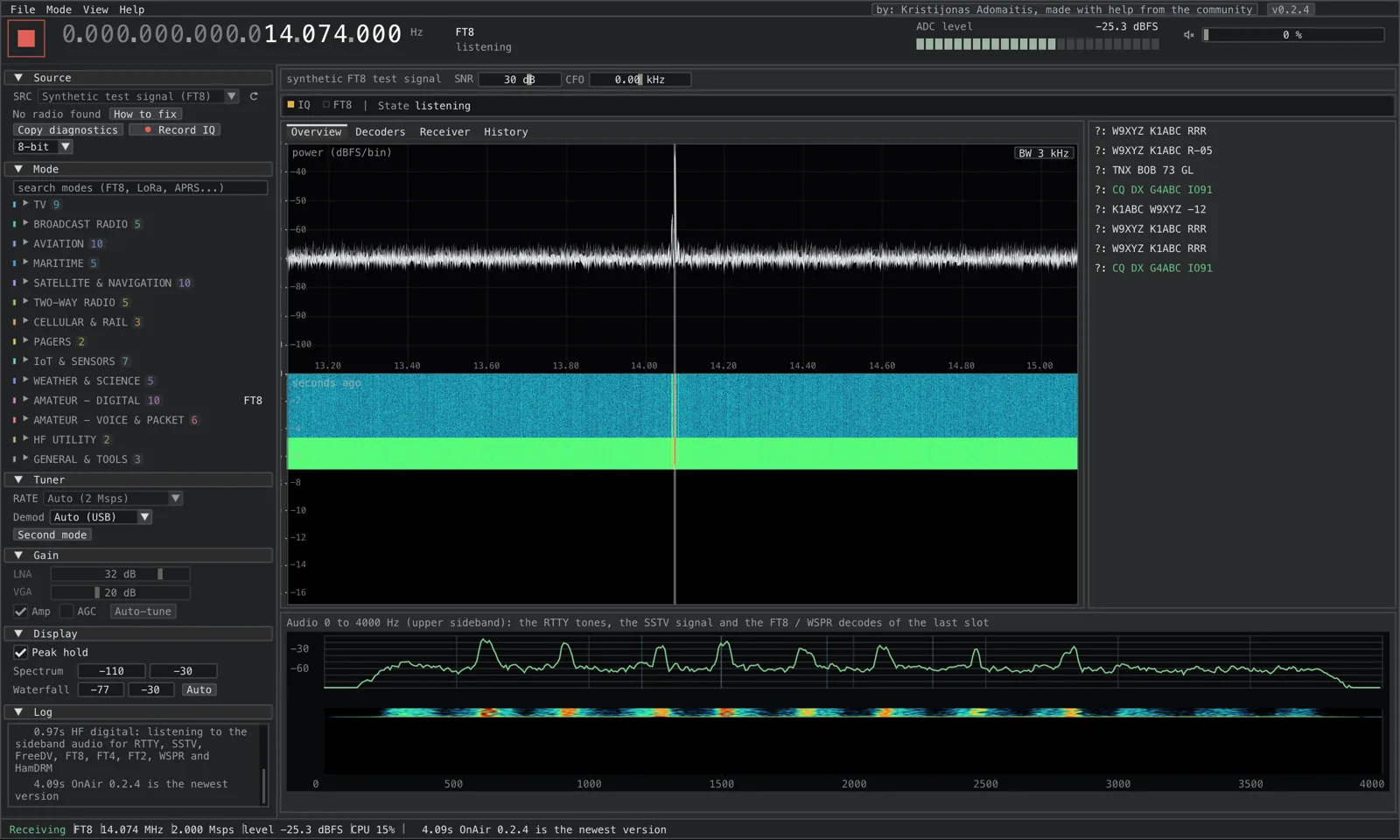
FT8, FT4, FT2, WSPR, PSK31, JS8Call, RTTY, CW and SSTV are of particular interest to radio amateurs. Digital voice and packet systems, such as M17, D-STAR or APRS, are also represented in the program. However, it is important to distinguish between the availability of the decoder and its proven functionality in real operation. The official listing lists most of these mods as experimental.
OnAir can therefore be used for initial investigation of signals, comparing their properties and experimenting with decoding. However, during normal operation of FT8 or during contesting, it should not be automatically assumed that it will replace established programs such as WSJT-X whether MSHV. The decisive factor is the current level of support for the given mode and the results with real signals.
Television broadcasting and reception options
DVB-T and DVB-T2
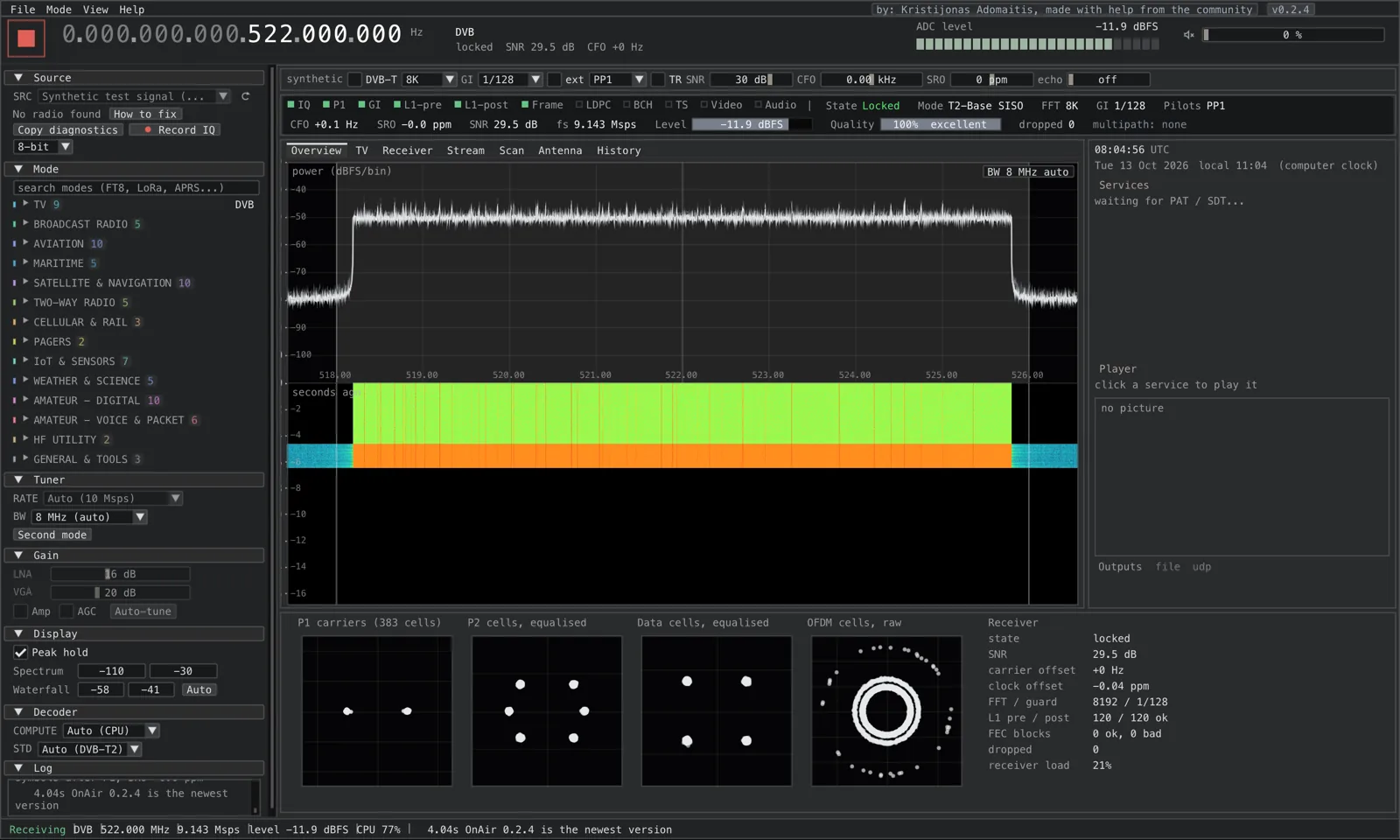
The reception of DVB-T and DVB-T2 digital television broadcasts is one of the main functions of the project. After selecting the mode and frequency, the program will process the captured samples, try to synchronize the receiver with the broadcast, and after successful decoding will make the available programs available. The user also has information about the quality of the signal, which helps in setting up the antenna and evaluating reception conditions.
This function is also interesting from a technical point of view. DVB-T2 uses OFDM modulation and transmitted data streams contain protection and correction mechanisms. The display of the constellation diagram, error data and reception quality can thus help in understanding the behavior of digital transmission in the presence of noise, reflections and interference. Broadcasting with a sufficient signal level does not automatically mean flawless reception.
Analogue, cable and satellite television
The project also includes decoders for analog TV systems PAL, NTSC and SECAM. However, their availability should be seen as experimental. The DVB-S/S2 modes for satellite TV and DVB-C for cable broadcasting, as well as several other TV standards, are similarly marked.
For satellite reception, a suitable LNB, the necessary frequency conversion and an SDR receiver capable of processing the relevant bandwidth must be considered. The mere presence of a decoder in the program does not guarantee the reception of a particular broadcast. The result depends on the hardware, the setup of the receive chain, the availability of the signal and the degree of completion of the respective implementation.
Radio: FM, RDS and DAB+
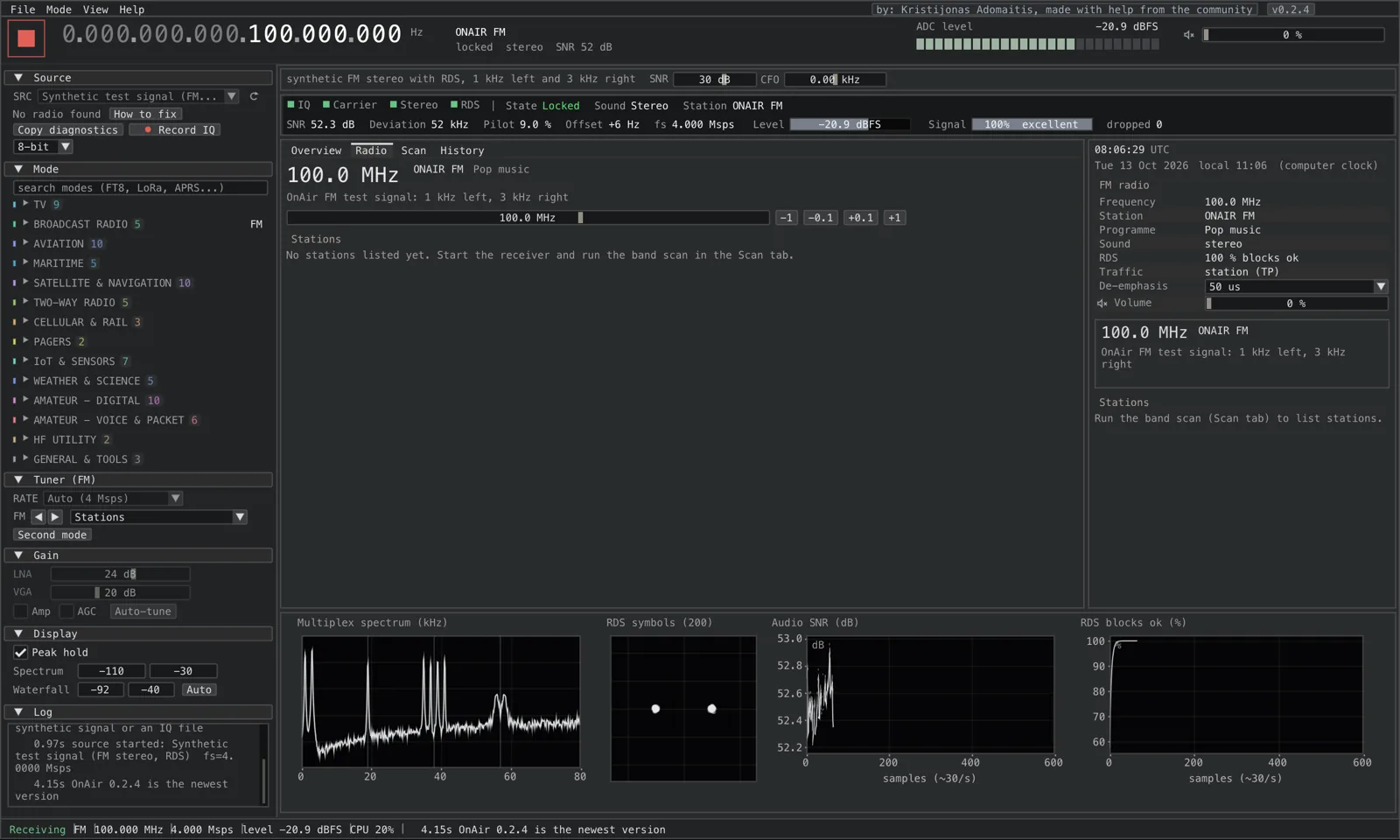
Receiving commercial radio broadcasts is a practical way to experience OnAir without complicated setup. With FM in the range of 87.5 to 108 MHz, the program supports stereophonic sound and RDS. In addition to the audio itself, data such as station name and radio text can be displayed as long as the transmitter provides them and the receiver successfully decodes them.
RDS is also useful when comparing the coverage of individual transmitters. When trying different antennas or changing the position of the receiver, it is possible to observe when the station identification appears, when it disappears and how the reception stability changes. However, such an observation is not a substitute for a calibrated sensitivity or field measurement.
DAB/DAB+ digital radio provides another possibility for experimentation. OnAir can process digital radio multiplexes and display available services. The project also includes work with TII transmitter identifiers, which can be used to determine received transmitters. A suitable directional antenna and comparing the signal in different directions can help distinguish individual broadcast sources.
The software also includes a general receiver for NFM, WFM, AM, USB, LSB and CW modes. However, their status differs from the verified FM and DAB+ functions. When testing amplitude modulation or shortwave reception, the experimental nature of the implementation in question must be taken into account.
Spectrum, waterfall and signal analysis
For a technically oriented user, not only the decoding result is important. OnAir displays spectrum and waterfall, constellation diagrams, signal-to-noise ratio (SNR), error data and a summary rating of reception quality. Bounce and multi-propagation detection is also available for some modes.
In practice, this helps in finding the cause of reception problems. If the TV picture breaks up or the decoder loses synchronization, signal amplification alone may not help. The cause may be interference, reflections, inappropriate antenna position or receiver overload. The quality and spectrum display provides additional clues to try changing antenna orientation, gain settings, or receiving location.
The program also includes a spectrum analyzer and a tool for more detailed examination of the spectrum. With suitable hardware, they enable monitoring of wider frequency ranges, searching for active signals and examining their basic parameters. However, it is not a replacement for a calibrated measuring receiver or analyzer. The accuracy of the displayed levels depends on the SDR, gain settings, corrections and measurement procedures used.
Supported SDR receivers and bandwidth requirements
OnAir is developed and tested primarily with HackRF One and HackRF Pro receivers. According to the documentation, it also supports the BladeRF, LimeSDR, USRP, PlutoSDR, Airspy, SDRplay, and RTL-SDR device families. Additional devices can be used via SoapySDR if the appropriate module is available. Version 0.2.4 also added support for the SpyServer network resource and rtl_tcp servers.
| SDR receiver | Practical use | An important limitation |
|---|---|---|
| HackRF One / Pro | The underlying platform for which OnAir is developed and tested | The specific frequency and sampling capabilities of the device must be taken into account |
| RTL-SDR | FM, DAB+ and narrower band signals | Insufficient sample rate for entire broadband TV channels |
| Airspy and SDRplay | Radio and other narrowband modes | Support and testing rates vary by model |
| BladeRF, LimeSDR and USRP | Broadband experiments and television signals | The specific model, drivers and configuration should be verified |
| PlutoSDR | FM, DAB+ and narrower band modes | The limitation of the transfer speed via USB can prevent the processing of a wide TV channel |

When choosing hardware, the sampling rate is especially important. A broadband TV channel with a width of 6 to 8 MHz needs a receiver capable of capturing a correspondingly wide band. RTL-SDR is therefore applicable to several radio and narrowband experiments, but not sufficient to process such a full TV channel. The OnAir documentation states an indicative requirement of approximately one million samples per second for each megahertz of channel width.
Support for a specific receiver does not mean that all modes will work as reliably as with HackRF. For devices that have been tested on a smaller scale, possible driver errors, sample transfer limitations and differences in gain settings must be taken into account.
Installation, platforms and documentation
The program is available for Windows 10 and 11 in 64-bit version, macOS 15 or later and Linux. An installer and a ZIP archive are available for Windows, DEB packages for amd64 and arm64 architectures for Linux, as well as a portable archive for other distributions. ARM64 support creates space for experiments with compatible devices, but before deploying on a single-board computer, the processor performance, available drivers and specific package should be checked.

For some SDR devices, it is necessary to set the USB driver correctly on Windows. For example, the documentation recommends WinUSB for HackRF, RTL-SDR, and selected Airspy receivers. After connecting the receiver and antenna, the user selects the signal source, selects the mode, enters the frequency and starts reception. Scanning is used to search for available channels, and automatic gain adjustment can be used in case of problems with TV reception.
A physical receiver is not necessary for the first meeting. The application offers test signals and a wizard that allows you to view the interface and basic functions. It also supports working with recorded IQ samples. Such a procedure is useful when debugging or benchmarking a decoder because the same recording can be processed repeatedly without depending on the current reception conditions.
Open development and current changes
The source code is available at GitHub licensed under the GNU GPL version 3 or later. Users can thus report errors, monitor development and contribute to the project as they can. The official documentation provides instructions for installation, connecting the receiver, setting individual modes and troubleshooting.
The history of changes shows rapid development. The 0.2.4 release brought, among other things, the SpyServer resource, a map window, more options for SSTV, and weather fax audio reception. Previous versions have extended support for PSK31, JS8Call, spectrum analyzer, packet radio and more TV standards. The rapid addition of functions is an advantage, but at the same time it increases the importance of continuous verification of the stability of individual decoders.
For everyday use, it is wise to prefer the stable release over the development version. The latest experimental features may be of interest to designers and developers, but their behavior may change. When reporting an error, it will help to specify the exact version and, if possible, also record the IQ signal on which the problem occurred.
What to expect from OnAir
OnAir combines the reception of television, radio and a large number of digital signals into one environment. For the radio amateur, it can be useful for researching modulations, observing the spectrum, receiving FM with RDS, DAB+ or experimenting with FT8, CW, PSK31 and SSTV. Diagnostic tools, working with IQ records and the possibility to use different SDR platforms are also interesting.
The most important caveat remains the different level of maturity of the individual regimes. The official site refers to DVB-T2, DVB-T, ATSC 1.0, DAB+ and FM as verified on real signals; for many other implementations, the developers still rely mainly on synthetic tests. OnAir is therefore primarily an interesting platform for experimentation, not a guarantee of a full-fledged replacement for all specialized decoders.
Official website of the project: https://on-air.dev/ .
TNX for the tip Dezider OM5NA!
Nejlepší SW na všechno! Díky za info .